
TestDriver
ActiveTestDriver is an AI testing product from TestDriver that runs applications to test them; this directory is published by the same company.
Compatibility
- Test languages
- JavaScript TypeScript
- Browser engines
- Chromium
- Browsers
- Chrome
- Device modes
- Real device Responsive viewport
What it tests
- Product kind
- AI testing agent, Testing platform
- Testing types
- End-to-end, Functional
- Targets
- Web app, Native desktop, Browser extension, Vscode
- Use cases
- Pull request validation, Regression testing, Test maintenance, Test generation
Classification lists positively established capabilities. Absence from a list does not mean lack of support.
Creation and execution
- Authoring methods
- Code, AI-generated code, Natural language
- Execution models
- Browser DOM, OS input, Computer vision
- Deployment
- SaaS, Self-hosted
- License
- Proprietary
Capabilities
AI
| Capability | Status | Details |
|---|---|---|
| Uses AI | Supported Supported | Test generation, Execution, Self-healing, Failure analysis The TestDriver agent reviews PRs, writes tests, and runs them. |
| AI test generation | Supported Supported | |
| AI executes the app | Supported Supported | |
| AI generates code only | Supported Supported | |
| Autonomous exploration | Unknown Unknown | |
| Vision-based interaction | Supported Supported | |
| Selector-free execution | Supported Supported | |
| Adapts to UI changes | Supported Supported | |
| Self-healing | Supported Supported | |
| AI failure analysis | Supported Supported |
Developer integrations
| Capability | Status | Details |
|---|---|---|
| MCP server | Supported Supported Official | Can be initialized via CLI for Cursor, Claude Code, and VS Code.
|
| VS Code extension | Supported Supported Official | Used for IDE preview mode.
|
| SDK | Supported Supported Official | JavaScript Requires Vitest.
|
PR workflow
| Capability | Status | Details |
|---|---|---|
| GitHub | Supported Supported | GitHub App, Check runs, PR comments, Issue creation The agent reviews PRs, comments on issues, and runs tests. |
| CI execution | Supported Supported | |
| GitHub PR checks | Supported Supported | |
| PR-aware test selection | Unknown Unknown | |
| Autonomous PR validation | Supported Supported | |
| PR comments | Supported Supported | |
| Preview deployment testing | Unknown Unknown | |
| Merge gating | Unknown Unknown | |
| Scheduled execution | Unknown Unknown |
Creation and execution
| Capability | Status | Details |
|---|---|---|
| Code authoring | Supported Supported | |
| Recorder | Unknown Unknown | |
| Natural language authoring | Supported Supported | |
| Test import | Unknown Unknown | |
| Reusable steps | Unknown Unknown | |
| Parameterized tests | Unknown Unknown | |
| Test data generation | Unknown Unknown |
What it tests
| Capability | Status | Details |
|---|---|---|
| Native desktop testing | Supported Supported | |
| Native mobile testing | Supported Supported | |
| Browser extension testing | Supported Supported | |
| Cross-browser testing | Unknown Unknown | |
| Cross-platform testing | Supported Supported | |
| Real device testing | Supported Supported | |
| Multi-tab testing | Unknown Unknown | |
| iframe testing | Unknown Unknown | |
| Canvas testing | Unknown Unknown | |
| PDF validation | Unknown Unknown | |
| File upload testing | Unknown Unknown | |
| File download testing | Unknown Unknown | |
| OAuth testing | Unknown Unknown | |
| Email testing | Unknown Unknown | |
| Notification testing | Unknown Unknown | |
| Video content validation | Unknown Unknown |
Validation
| Capability | Status | Details |
|---|---|---|
| Visual regression | Supported Supported | |
| Semantic visual assertions | Supported Supported | |
| Accessibility checks | Unknown Unknown | |
| API assertions | Unknown Unknown | |
| Database assertions | Unknown Unknown | |
| Spelling and grammar checks | Unknown Unknown | |
| Dark and light mode testing | Unknown Unknown | |
| Performance measurement | Supported Supported |
Running
| Capability | Status | Details |
|---|---|---|
| Local execution | Supported Supported | |
| Headless execution | Unknown Unknown | |
| Headed execution | Supported Supported | |
| Parallel execution | Supported Supported | |
| Test sharding | Unknown Unknown | |
| Auto-waiting | Supported Supported | |
| Automatic retries | Supported Supported | |
| Network mocking | Unknown Unknown | |
| Secrets injection | Supported Supported | |
| Private network access | Supported Supported |
Diagnosis
| Capability | Status | Details |
|---|---|---|
| Screenshots | Supported Supported | |
| Video recording | Unknown Unknown | |
| Execution traces | Unknown Unknown | |
| Console logs | Unknown Unknown | |
| Network logs | Unknown Unknown | |
| Replay | Unknown Unknown | |
| Interactive debugging | Supported Supported | |
| Failure grouping | Unknown Unknown |
Enterprise
| Capability | Status | Details |
|---|---|---|
| SSO (SAML) | Unknown Unknown | |
| SSO (OIDC) | Supported Supported | |
| SCIM | Unknown Unknown | |
| RBAC | Unknown Unknown | |
| Audit logs | Unknown Unknown | |
| Secrets management | Supported Supported | |
| Configurable retention | Unknown Unknown | |
| Private runners | Supported Supported | |
| On-premises deployment | Supported Supported | |
| Data residency | Unknown Unknown | |
| Training opt-out | Unknown Unknown |
Integrations
| Capability | Status | Details |
|---|---|---|
| GitHub Actions (CI/CD) | Supported Supported | Uses testdriverai/action for OIDC authentication and running tests in CI. No source recorded |
| GitLab CI (CI/CD) | Supported Supported | Custom code Example configuration provided for GitLab CI. No source recorded |
| Jenkins (CI/CD) | Supported Supported | Custom code Example configuration provided for Jenkins. No source recorded |
| CircleCI (CI/CD) | Supported Supported | Custom code Example configuration provided for CircleCI. No source recorded |
| Azure Pipelines (CI/CD) | Supported Supported | Custom code Example configuration provided for Azure Pipelines. No source recorded |
Maintenance, reliability, and debugging
- Maintenance approaches
- Manual code, Resilient locators, Self-healing, Ai regeneration
- Maximum concurrency
- 1
- Debug artifacts
- Screenshot
- Reliability mechanisms
- Auto wait, Retry, Flaky test detection
- Interfaces
- CLI, Web UI, IDE extension, SDK
Pricing
Free
Not yet verified · Official pricing page
Support
- Channels
- Unknown
- Support SLA
- Available
Limitations
- Only supports Vitest as a test runner. — Explicitly stated in the documentation.
SDK code samples
- Package:
- testdriverai (version not recorded)
- Install:
- npm install --save-dev vitest testdriverai
import { test, expect } from 'vitest';
import { TestDriver } from 'testdriverai/vitest/hooks';

test('search shows results', async (context) => {
  const testdriver = TestDriver(context);
  await testdriver.provision.chrome({ url: 'https://duckduckgo.com' });
  const searchBox = await testdriver.find('search input field');
  await searchBox.click();
  await testdriver.type('testdriver.ai');
  await testdriver.pressKeys(['enter']);
  const result = await testdriver.assert('search results are displayed');
  expect(result).toBeTruthy();
});
Run: npx vitest run
Official docs
Sources and verification
- 1Manual - TestDriver · Official docs · TestDriver · retrieved 2026-09-25
Supports 9 claims · Vendor documented, medium confidence · verified 2026-09-25
- Code authoring
- Code samples
- Editorial · Limitations
- Headed execution
- Interfaces
- Languages
- Local execution
- MCP server
- SDK
text 2793: import { test, expect } from 'vitest'; import { TestDriver } from 'testdriverai/vitest/hooks'; test('search shows results', async (context) => { // Connects to a sandbox and records the session const testdriver = TestDriver(context); // Launch Chrome at a
text 1900: TestDriver requires Node.js 20.19 or later and only runs on Vitest. Jest, Mocha, and other runners are not supported.
heading 3: Optional: AI client setup If you want to write tests with an AI assistant, connect the TestDriver agent and MCP server. You can do this without re-scaffolding the project: npx t | heading 4: The AI QA Engineer for Every Pull Request | heading 3: Install TestDriver for VS Code | heading 3: Javascript SDK
Can be initialized via CLI for Cursor, Claude Code, and VS Code.
Requires Vitest.
- 2Options Reference - TestDriver · Official docs · TestDriver · retrieved 2026-09-22
Supports 1 claim · verified 2026-09-25
- VS Code extension
Used for IDE preview mode.
- 3The TestDriver Agent - TestDriver · Official docs · TestDriver · retrieved 2026-09-22
Supports 1 claim · verified 2026-09-25
- GitHub
The agent reviews PRs, comments on issues, and runs tests.
- 4The AI QA Engineer for Every Pull Request - TestDriver · Official website · TestDriver · retrieved 2026-09-25
Supports 27 claims · Vendor documented, medium confidence · verified 2026-09-25
- Adapts to UI changes
- AI executes the app
- AI failure analysis
- Authoring method
- Autonomous exploration
- Autonomous PR validation
- CI execution
- Device modes
- Execution model
- GitHub
- GitHub PR checks
- Interfaces
- Maintenance approach
- PR comments
- Product kind
- Product status
- Real device testing
- Recorder
- Self-healing
- Semantic visual assertions
- Summary
- Testing types
- Tool
- Use cases
- Uses AI
- Vendor
- Vision-based interaction
heading 5: Contributes tests back as a new PR | heading 2: Explore Instructions for Coding Agents TestDriver Agent Instructions Start a Conversation Live Preview Panel Interactive Workflow Example Conversation Generated Test Code Tips for Better Tests Next Learn | heading 3: Creating Tests from PR Comments
text 5751: Runs in CI Tests are plain Vitest, so they run the same on your machine and in CI, across web, desktop, and extensions on real VMs. Wire them into the pipeline you already have. | heading 3: Configuring the Device | text 4243: Mobile App Support The GitHub Mobile app supports Copilot chat, which means you can use TestDriver from your phone:
heading 5: Validates pull requests with AI Vision | heading 2: Locating Elements Overview Finding Elements find() Element Class Methods found() find() Properties coordinates x, y, centerX, centerY width, height boundingBox screenshot text label confidence Property Availability JSON Serialization Best Practices | heading 2: Interacting With Your App Overview Interaction Methods click() hover() doubleClick() rightClick() mouseDown() / mouseUp() Examples Basic Element Interaction Working with Forms Conditional Interactions Re-locating Dynamic Elements Best Practices
The agent reviews PRs, comments on issues, and runs tests.
heading 3: Optional: AI client setup If you want to write tests with an AI assistant, connect the TestDriver agent and MCP server. You can do this without re-scaffolding the project: npx t | heading 4: The AI QA Engineer for Every Pull Request | heading 3: Install TestDriver for VS Code | heading 3: Javascript SDK
heading 5: Self-heals when elements move or change | heading 2: Locating Elements | heading 1: Self-Healing | text 5913: Auto-healing tests automatically fix themselves when your application changes. By integrating an AI coding agent with TestDriver in your CI pipeline, you can have AI investigate test failures and propose fixes.
heading 4: The AI QA Engineer for Every Pull Request | heading 2: What is TestDriver?
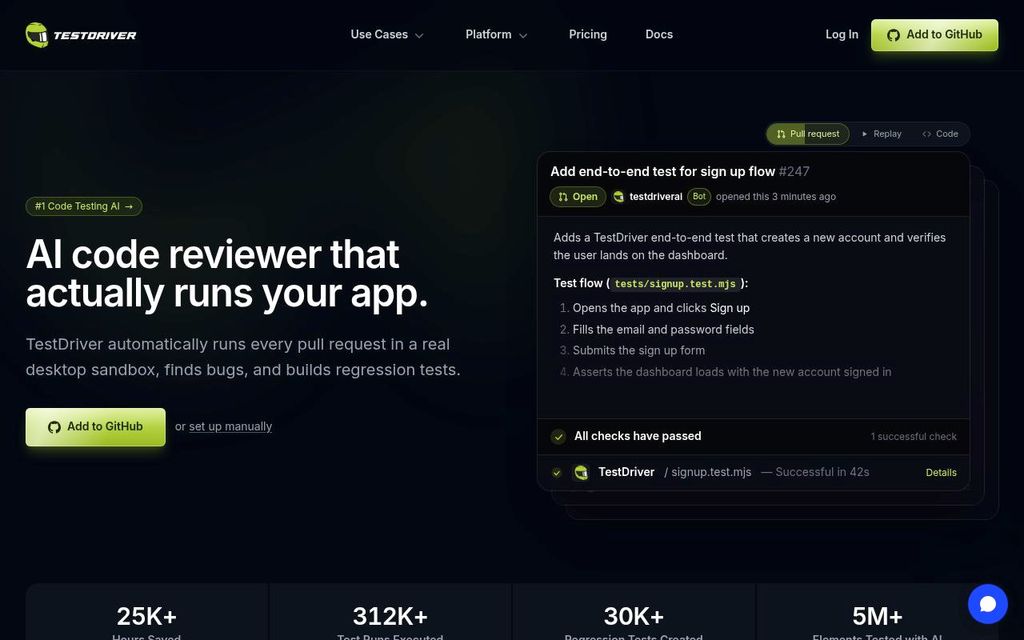
heading 1: AI code reviewer that actually runs your app.
heading 4: The AI QA Engineer for Every Pull Request
heading 4: The AI QA Engineer for Every Pull Request | heading 2: Catch regressions automatically with CI, auto-healing, and GitHub integration
The TestDriver agent reviews PRs, writes tests, and runs them.
- 5Spawning a sandbox - TestDriver · Official docs · TestDriver · retrieved 2026-09-25
Supports 8 claims · Vendor documented, medium confidence · verified 2026-09-25
- Browser engines
- Browser extension testing
- Browsers
- Native desktop testing
- Runner OS
- Target OS
- Targets
- VS Code extension
heading 3: Chrome Browser | heading 3: chrome()
text 3700: The operating system of the sandbox. You can also set this with the TD_OS environment variable. 'linux' | 'windows' | text 4405: // Windows MSI installer await testdriver.provision.installer({ url: 'https://example.com/app-setup.msi', appName: 'MyApp', }); // Linux DEB package await testdriver.provision.installer({ url: 'https://example.com/app.deb', appName: 'MyApp', la
text 3700: The operating system of the sandbox. You can also set this with the TD_OS environment variable. 'linux' | 'windows' | text 4405: // Windows MSI installer await testdriver.provision.installer({ url: 'https://example.com/app-setup.msi', appName: 'MyApp', }); // Linux DEB package await testdriver.provision.installer({ url: 'https://example.com/app.deb', appName: 'MyApp', la | text 2655: GitHub Mobile app (iOS/Android)
heading 2: Launch browsers, desktop apps, and extensions in your sandbox | heading 3: Install TestDriver for VS Code
Used for IDE preview mode.
- 6Running Tests - TestDriver · Official docs · TestDriver · retrieved 2026-09-25
Supports 14 claims · Vendor documented, medium confidence · verified 2026-09-25
- Browser engines
- Browser extension testing
- Browsers
- Cross-browser testing
- Cross-platform testing
- Device modes
- Headless execution
- Interfaces
- Native desktop testing
- Real device testing
- Runner OS
- Target OS
- Targets
- VS Code extension
heading 3: Chrome Browser | heading 3: chrome()
text 5751: Runs in CI Tests are plain Vitest, so they run the same on your machine and in CI, across web, desktop, and extensions on real VMs. Wire them into the pipeline you already have. | heading 3: Configuring the Device | text 4243: Mobile App Support The GitHub Mobile app supports Copilot chat, which means you can use TestDriver from your phone:
heading 3: Optional: AI client setup If you want to write tests with an AI assistant, connect the TestDriver agent and MCP server. You can do this without re-scaffolding the project: npx t | heading 4: The AI QA Engineer for Every Pull Request | heading 3: Install TestDriver for VS Code | heading 3: Javascript SDK
text 3700: The operating system of the sandbox. You can also set this with the TD_OS environment variable. 'linux' | 'windows' | text 4405: // Windows MSI installer await testdriver.provision.installer({ url: 'https://example.com/app-setup.msi', appName: 'MyApp', }); // Linux DEB package await testdriver.provision.installer({ url: 'https://example.com/app.deb', appName: 'MyApp', la
text 3700: The operating system of the sandbox. You can also set this with the TD_OS environment variable. 'linux' | 'windows' | text 4405: // Windows MSI installer await testdriver.provision.installer({ url: 'https://example.com/app-setup.msi', appName: 'MyApp', }); // Linux DEB package await testdriver.provision.installer({ url: 'https://example.com/app.deb', appName: 'MyApp', la | text 2655: GitHub Mobile app (iOS/Android)
heading 2: Launch browsers, desktop apps, and extensions in your sandbox | heading 3: Install TestDriver for VS Code
Used for IDE preview mode.
- 7Hosted - TestDriver · Official docs · TestDriver · retrieved 2026-09-25
Supports 5 claims · Vendor documented, medium confidence · verified 2026-09-25
- Deployment
- License
- Max concurrency
- Parallel execution
- Pricing models
heading 1: Hosted | heading 1: Self-Hosted (Enterprise)
heading 2: Pro $20/month per user - 2 Concurrent Sandboxes - 1000 Minutes Included - Unlimited Team Users - Private Support - Test Recordings - Test Analytics - CPU, RAM, & Network Profiles | heading 2: Hosted Plans
heading 3: Free Trial $0/month - 1 Concurrent Sandbox
heading 2: Pro $20/month per user - 2 Concurrent Sandboxes - 1000 Minutes Included - Unlimited Team Users - Private Support - Test Recordings - Test Analytics - CPU, RAM, & Network Profiles | text 5581: Pricing Model | Device-seconds | Flat license fee | | heading 2: Hosted Plans
- 8Self-Hosted (Enterprise) - TestDriver · Official docs · TestDriver · retrieved 2026-09-25
Supports 7 claims · Vendor documented, medium confidence · verified 2026-09-25
- Data residency
- Deployment
- On-premises deployment
- Pricing models
- Private network access
- Private runners
- Support SLA
heading 1: Hosted | heading 1: Self-Hosted (Enterprise)
heading 2: Pro $20/month per user - 2 Concurrent Sandboxes - 1000 Minutes Included - Unlimited Team Users - Private Support - Test Recordings - Test Analytics - CPU, RAM, & Network Profiles | text 5581: Pricing Model | Device-seconds | Flat license fee | | heading 2: Hosted Plans
text 5378: Custom contract terms — volume-based pricing, custom SLAs
- 9What is TestDriver? - TestDriver · Official docs · TestDriver · retrieved 2026-09-25
Supports 3 claims · Vendor documented, medium confidence · verified 2026-09-25
- Interfaces
- Product kind
- SDK
heading 3: Optional: AI client setup If you want to write tests with an AI assistant, connect the TestDriver agent and MCP server. You can do this without re-scaffolding the project: npx t | heading 4: The AI QA Engineer for Every Pull Request | heading 3: Install TestDriver for VS Code | heading 3: Javascript SDK
heading 4: The AI QA Engineer for Every Pull Request | heading 2: What is TestDriver?
Requires Vitest.
- 10Pricing - TestDriver AI-Powered UI Testing · Official pricing · TestDriver · retrieved 2026-09-25
Supports 3 claims · Vendor documented, medium confidence · verified 2026-09-25
- License
- Pricing
- Pricing models
heading 2: Pro $20/month per user - 2 Concurrent Sandboxes - 1000 Minutes Included - Unlimited Team Users - Private Support - Test Recordings - Test Analytics - CPU, RAM, & Network Profiles | heading 2: Hosted Plans
heading 2: Enterprise Custom pricing - Unlimited Concurrent Sandboxes - Unlimited Minutes Included - Unlimited Team Users - Dedicated Support - Test Recordings - Test Analytics - CPU, RAM, & Network Profiles - Self-Hosted Deployment - Custom Integrations - Custom SLAs
heading 2: Pro $20/month per user - 2 Concurrent Sandboxes - 1000 Minutes Included - Unlimited Team Users - Private Support - Test Recordings - Test Analytics - CPU, RAM, & Network Profiles | text 5581: Pricing Model | Device-seconds | Flat license fee | | heading 2: Hosted Plans
- 11Prevent - TestDriver · Official docs · TestDriver · retrieved 2026-09-25
Supports 21 claims · Vendor documented, medium confidence · verified 2026-09-25
- Adapts to UI changes
- AI failure analysis
- AI generates code only
- AI test generation
- Authoring method
- Autonomous PR validation
- Device modes
- GitHub
- GitHub PR checks
- Maintenance approach
- Native mobile testing
- Natural language authoring
- PR comments
- PR-aware test selection
- Real device testing
- Secrets injection
- Secrets management
- Self-healing
- Target OS
- Use cases
- Uses AI
heading 5: Contributes tests back as a new PR | heading 2: Explore Instructions for Coding Agents TestDriver Agent Instructions Start a Conversation Live Preview Panel Interactive Workflow Example Conversation Generated Test Code Tips for Better Tests Next Learn | heading 3: Creating Tests from PR Comments
text 5751: Runs in CI Tests are plain Vitest, so they run the same on your machine and in CI, across web, desktop, and extensions on real VMs. Wire them into the pipeline you already have. | heading 3: Configuring the Device | text 4243: Mobile App Support The GitHub Mobile app supports Copilot chat, which means you can use TestDriver from your phone:
The agent reviews PRs, comments on issues, and runs tests.
heading 5: Self-heals when elements move or change | heading 2: Locating Elements | heading 1: Self-Healing | text 5913: Auto-healing tests automatically fix themselves when your application changes. By integrating an AI coding agent with TestDriver in your CI pipeline, you can have AI investigate test failures and propose fixes.
text 3700: The operating system of the sandbox. You can also set this with the TD_OS environment variable. 'linux' | 'windows' | text 4405: // Windows MSI installer await testdriver.provision.installer({ url: 'https://example.com/app-setup.msi', appName: 'MyApp', }); // Linux DEB package await testdriver.provision.installer({ url: 'https://example.com/app.deb', appName: 'MyApp', la | text 2655: GitHub Mobile app (iOS/Android)
heading 4: The AI QA Engineer for Every Pull Request | heading 2: Catch regressions automatically with CI, auto-healing, and GitHub integration
The TestDriver agent reviews PRs, writes tests, and runs them.
- 12Locating Elements - TestDriver · Official docs · TestDriver · retrieved 2026-09-25
Supports 5 claims · Vendor documented, medium confidence · verified 2026-09-25
- Execution model
- Maintenance approach
- Selector-free execution
- Semantic visual assertions
- Vision-based interaction
heading 5: Validates pull requests with AI Vision | heading 2: Locating Elements Overview Finding Elements find() Element Class Methods found() find() Properties coordinates x, y, centerX, centerY width, height boundingBox screenshot text label confidence Property Availability JSON Serialization Best Practices | heading 2: Interacting With Your App Overview Interaction Methods click() hover() doubleClick() rightClick() mouseDown() / mouseUp() Examples Basic Element Interaction Working with Forms Conditional Interactions Re-locating Dynamic Elements Best Practices
heading 5: Self-heals when elements move or change | heading 2: Locating Elements | heading 1: Self-Healing | text 5913: Auto-healing tests automatically fix themselves when your application changes. By integrating an AI coding agent with TestDriver in your CI pipeline, you can have AI investigate test failures and propose fixes.
- 13Interacting With Your App - TestDriver · Official docs · TestDriver · retrieved 2026-09-25
Supports 1 claim · Vendor documented, medium confidence · verified 2026-09-25
- Execution model
heading 5: Validates pull requests with AI Vision | heading 2: Locating Elements Overview Finding Elements find() Element Class Methods found() find() Properties coordinates x, y, centerX, centerY width, height boundingBox screenshot text label confidence Property Availability JSON Serialization Best Practices | heading 2: Interacting With Your App Overview Interaction Methods click() hover() doubleClick() rightClick() mouseDown() / mouseUp() Examples Basic Element Interaction Working with Forms Conditional Interactions Re-locating Dynamic Elements Best Practices
- 14Explore - TestDriver · Official docs · TestDriver · retrieved 2026-09-25
Supports 6 claims · Vendor documented, medium confidence · verified 2026-09-25
- AI executes the app
- AI generates code only
- AI test generation
- Authoring method
- Natural language authoring
- Uses AI
heading 5: Contributes tests back as a new PR | heading 2: Explore Instructions for Coding Agents TestDriver Agent Instructions Start a Conversation Live Preview Panel Interactive Workflow Example Conversation Generated Test Code Tips for Better Tests Next Learn | heading 3: Creating Tests from PR Comments
The TestDriver agent reviews PRs, writes tests, and runs them.
- 15Add TestDriver to GitHub - TestDriver · Official docs · TestDriver · retrieved 2026-09-25
Supports 24 claims · verified 2026-09-25
- Audit logs
- Canvas testing
- Configurable retention
- Dark and light mode testing
- Email testing
- File download testing
- File upload testing
- GitHub
- iframe testing
- Merge gating
- Multi-tab testing
- Network mocking
- Notification testing
- OAuth testing
- Parameterized tests
- PDF validation
- Preview deployment testing
- RBAC
- Reusable steps
- Scheduled execution
- Test data generation
- Test import
- Training opt-out
- Video content validation
The agent reviews PRs, comments on issues, and runs tests.
- 16Self-Healing - TestDriver · Official docs · TestDriver · retrieved 2026-09-25
Supports 6 claims · Vendor documented, medium confidence · verified 2026-09-25
- Adapts to UI changes
- Auto-waiting
- Automatic retries
- Maintenance approach
- Reliability mechanisms
- Self-healing
heading 5: Self-heals when elements move or change | heading 2: Locating Elements | heading 1: Self-Healing | text 5913: Auto-healing tests automatically fix themselves when your application changes. By integrating an AI coding agent with TestDriver in your CI pipeline, you can have AI investigate test failures and propose fixes.
heading 3: Flake Prevention TestDriver automatically waits for the screen and network to stabilize after each action using redraw detection. This prevents flaky tests caused by animations, loading states, or dynamic content updates. | text 4649: Without redraw detection, you’d need manual waits or retries to handle the page transition.
- 17Debugging Tests - TestDriver · Official docs · TestDriver · retrieved 2026-09-25
Supports 10 claims · Vendor documented, medium confidence · verified 2026-09-25
- Console logs
- Debug artifacts
- Execution traces
- Failure grouping
- Interactive debugging
- MCP server
- Network logs
- Replay
- Screenshots
- Video recording
heading 3: list_local_screenshots view_local_screenshot
Can be initialized via CLI for Cursor, Claude Code, and VS Code.
- 18Integrating into CI/CD - TestDriver · Official docs · TestDriver · retrieved 2026-09-25
Supports 10 claims · Vendor documented, medium confidence · verified 2026-09-25
- CI execution
- Cross-platform testing
- Integrations
- Parallel execution
- SCIM
- Secrets injection
- Secrets management
- SSO (OIDC)
- SSO (SAML)
- Test sharding
heading 3: CI Provider Examples
- 19Changelog - TestDriver · Official changelog · TestDriver · retrieved 2026-09-25
Supports 2 claims · verified 2026-09-25
- Performance measurement
- Visual regression
- 20assert() - TestDriver · Official docs · TestDriver · retrieved 2026-09-25
Supports 5 claims · verified 2026-09-25
- Accessibility checks
- API assertions
- Database assertions
- Semantic visual assertions
- Spelling and grammar checks
Hands-on tested: no (documentation research only) · Content updated 2026-09-25