
Selenium
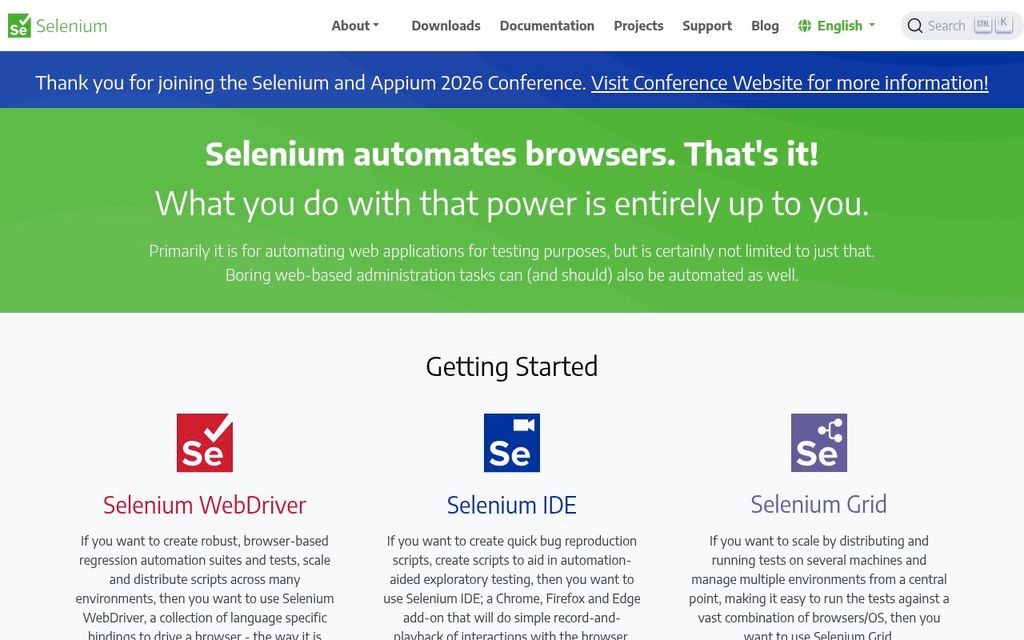
ActiveSelenium is an umbrella project encapsulating a variety of tools and libraries that enable and support the automation of web browsers.
Overview and fit
Audience
Editorial judgment, not a vendor fact.
Compatibility
- Test languages
- JavaScript Python Java C# Ruby
- Device modes
- Real device Emulator Simulator
What it tests
- Product kind
- Framework
- Testing types
- End-to-end, Functional
- Targets
- Web app
- Use cases
- Regression testing, Cross browser testing
Classification lists positively established capabilities. Absence from a list does not mean lack of support.
Creation and execution
- Authoring methods
- Code, Recorder
- Execution models
- Browser protocol
- Deployment
- Local, Self-hosted
- License
- Open source (Apache-2.0)
Capabilities
AI
| Capability | Status | Details |
|---|---|---|
| Uses AI | Unsupported Unsupported | Selenium itself does not use AI, but there are community AI solutions built on top of it. |
| AI test generation | Unsupported Unsupported | |
| AI executes the app | Unsupported Unsupported | |
| AI generates code only | Unsupported Unsupported | |
| Autonomous exploration | Unsupported Unsupported | |
| Vision-based interaction | Unsupported Unsupported | |
| Selector-free execution | Unsupported Unsupported | |
| Adapts to UI changes | Unsupported Unsupported | |
| Self-healing | Unsupported Unsupported | |
| AI failure analysis | Unsupported Unsupported |
Developer integrations
| Capability | Status | Details |
|---|---|---|
| MCP server | Supported Supported Community | Integration Community implementation by Angie Jones.
|
| VS Code extension | Unknown Unknown | |
| SDK | Supported Supported Official | Java, Python, C#, Ruby, JavaScript
|
PR workflow
| Capability | Status | Details |
|---|---|---|
| GitHub | Unknown Unknown | |
| CI execution | Supported Supported | |
| GitHub PR checks | Unknown Unknown | |
| PR-aware test selection | Unknown Unknown | |
| Autonomous PR validation | Unknown Unknown | |
| PR comments | Unknown Unknown | |
| Preview deployment testing | Unknown Unknown | |
| Merge gating | Unknown Unknown | |
| Scheduled execution | Unknown Unknown |
Creation and execution
| Capability | Status | Details |
|---|---|---|
| Code authoring | Supported Supported | |
| Recorder | Supported Supported | |
| Natural language authoring | Unsupported Unsupported | |
| Test import | Unknown Unknown | |
| Reusable steps | Unknown Unknown | |
| Parameterized tests | Unknown Unknown | |
| Test data generation | Unsupported Unsupported |
What it tests
| Capability | Status | Details |
|---|---|---|
| Native desktop testing | Unsupported Unsupported | |
| Native mobile testing | Unsupported Unsupported | |
| Browser extension testing | Supported Supported | |
| Cross-browser testing | Supported Supported | |
| Cross-platform testing | Supported Supported | |
| Real device testing | Unknown Unknown | |
| Multi-tab testing | Supported Supported | |
| iframe testing | Supported Supported | |
| Canvas testing | Unknown Unknown | |
| PDF validation | Unknown Unknown | |
| File upload testing | Supported Supported | |
| File download testing | Unsupported Unsupported | |
| OAuth testing | Unsupported Unsupported | |
| Email testing | Unsupported Unsupported | |
| Notification testing | Unknown Unknown | |
| Video content validation | Unknown Unknown |
Validation
| Capability | Status | Details |
|---|---|---|
| Visual regression | Unknown Unknown | |
| Semantic visual assertions | Unknown Unknown | |
| Accessibility checks | Unknown Unknown | |
| API assertions | Unknown Unknown | |
| Database assertions | Unknown Unknown | |
| Spelling and grammar checks | Unknown Unknown | |
| Dark and light mode testing | Unknown Unknown | |
| Performance measurement | Unsupported Unsupported |
Running
| Capability | Status | Details |
|---|---|---|
| Local execution | Supported Supported | |
| Headless execution | Supported Supported | |
| Headed execution | Supported Supported | |
| Parallel execution | Supported Supported | |
| Test sharding | Unknown Unknown | |
| Auto-waiting | Supported Supported | |
| Automatic retries | Unknown Unknown | |
| Network mocking | Supported Supported | |
| Secrets injection | Unknown Unknown | |
| Private network access | Unknown Unknown |
Diagnosis
| Capability | Status | Details |
|---|---|---|
| Screenshots | Supported Supported | |
| Video recording | Unknown Unknown | |
| Execution traces | Unknown Unknown | |
| Console logs | Supported Supported | |
| Network logs | Supported Supported | |
| Replay | Unknown Unknown | |
| Interactive debugging | Unknown Unknown | |
| Failure grouping | Unknown Unknown |
Enterprise
| Capability | Status | Details |
|---|---|---|
| SSO (SAML) | Unknown Unknown | |
| SSO (OIDC) | Unknown Unknown | |
| SCIM | Unknown Unknown | |
| RBAC | Unknown Unknown | |
| Audit logs | Unknown Unknown | |
| Secrets management | Unknown Unknown | |
| Configurable retention | Unknown Unknown | |
| Private runners | Supported Supported | |
| On-premises deployment | Supported Supported | |
| Data residency | Not applicable Not applicable | |
| Training opt-out | Not applicable Not applicable |
Maintenance, reliability, and debugging
- Setup difficulty
- Medium
- Maintenance approaches
- Manual code
- Maximum concurrency
- null
- Debug artifacts
- Screenshot, Console log, Network log
- Reliability mechanisms
- Auto wait
- Interfaces
- API, SDK, MCP
Pricing
Free
Not yet verified
Security and deployment
- Certifications
- None recorded
- Data regions
- Unknown
- Data retention
- Unknown
- Customer data used for training
- Unknown
Support
- Channels
- Docs, Github issues
- Support SLA
- Unknown
Limitations
- No built-in test runner, assertion library, or reporting; users assemble their own stack. — Selenium WebDriver is a browser automation library, not a complete test framework. The official documentation directs users to pair it with a testing framework (JUnit, pytest, Mocha, NUnit, etc.) for running tests, assertions, and reports.
- Automates web browsers only; no native desktop or mobile app support in core WebDriver. — Selenium targets browsers via the WebDriver protocol. Mobile and desktop app automation require separate projects such as Appium.
- Discourages testing file downloads, HTTP response codes, third-party logins, and 2FA through the browser. — Selenium documentation (test practices: Not recommended behaviors) recommends HTTP request libraries for downloads, checking page content instead of status codes, provider APIs for third-party logins, and disabling or bypassing 2FA in test environments.
SDK code samples
WebDriver driver = new ChromeDriver();
driver.get("https://www.selenium.dev/selenium/web/web-form.html");
driver.getTitle();
driver.manage().timeouts().implicitlyWait(Duration.ofMillis(500));
WebElement textBox = driver.findElement(By.name("my-text"));
WebElement submitButton = driver.findElement(By.cssSelector("button"));
textBox.sendKeys("Selenium");
submitButton.click();
WebElement message = driver.findElement(By.id("message"));
message.getText();
driver.quit();
Official docs
Sources and verification
- 1The Selenium Browser Automation Project | Selenium · Official docs · Selenium project · retrieved 2026-09-26
Supports 94 claims, high confidence · verified 2026-09-26
- Accessibility checks
- API assertions
- Audience
- Audit logs
- Authoring method
- Auto-waiting
- Automatic retries
- Autonomous PR validation
- Browser extension testing
- Canvas testing
- Certifications
- CI execution
- Code authoring
- Company size
- Configurable retention
- Console logs
- Cross-browser testing
- Cross-platform testing
- Customer data used for training
- Dark and light mode testing
- Data regions
- Data residency
- Database assertions
- Debug artifacts
- Deployment
- Email testing
- Execution model
- Execution traces
- Failure grouping
- File download testing
- File upload testing
- GitHub
- GitHub PR checks
- Headed execution
- Headless execution
- iframe testing
- Interactive debugging
- Interfaces
- Local execution
- Maintenance approach
- Max concurrency
- Merge gating
- Multi-tab testing
- Native desktop testing
- Native mobile testing
- Natural language authoring
- Network logs
- Network mocking
- Notification testing
- OAuth testing
- On-premises deployment
- Parallel execution
- Parameterized tests
- PDF validation
- Performance measurement
- PR comments
- PR-aware test selection
- Preview deployment testing
- Private network access
- Private runners
- Product kind
- Product status
- RBAC
- Real device testing
- Recorder
- Reliability mechanisms
- Replay
- Reusable steps
- Scheduled execution
- SCIM
- Screenshots
- Secrets injection
- Secrets management
- Semantic visual assertions
- Setup difficulty
- Spelling and grammar checks
- SSO (OIDC)
- SSO (SAML)
- Summary
- Support channels
- Support SLA
- Targets
- Test data generation
- Test import
- Test sharding
- Testing types
- Tool
- Training opt-out
- Use cases
- Vendor
- Video content validation
- Video recording
- Visual regression
- VS Code extension
The Selenium Browser Automation Project: Selenium is an umbrella project for a range of tools and libraries that enable and support the automation of web browsers.
The Selenium Browser Automation Project: lets you write interchangeable code for all major web browsers
The Selenium Browser Automation Project: Logging
Grid: Want to run tests in parallel across multiple machines? Then, Grid is for you.
The Selenium Browser Automation Project: implementations of the W3C WebDriver specification
The Selenium Browser Automation Project: Want to run tests in parallel across multiple machines? Then, Grid is for you.
The Selenium Browser Automation Project: Selenium is an umbrella project for a range of tools and libraries
The Selenium Browser Automation Project: The Selenium Browser Automation Project
The Selenium Browser Automation Project: Waits
The Selenium Browser Automation Project: Documentation
The Selenium Browser Automation Project: automation of web browsers
- 2Downloads | Selenium · Official website · Selenium project · retrieved 2026-09-26
Supports 2 claims · Vendor documented, high confidence · verified 2026-09-26
- Languages
- SDK
Downloads: Selenium Clients and WebDriver Language Bindings: .NET/C#, Ruby, Python, JavaScript, Java
- 3Grid | Selenium · Official docs · Selenium project · retrieved 2026-09-22
Supports 1 claim · verified 2026-09-26
- Parallel execution
- 4Write your first Selenium script | Selenium · Official docs · Selenium project · retrieved 2026-09-26
Supports 1 claim · Vendor documented, high confidence · verified 2026-09-26
- Code samples
Write your first Selenium script: Write your first Selenium script
- 5Ecosystem | Selenium · Official website · Selenium project · retrieved 2026-09-26
Supports 12 claims · Vendor documented, high confidence · verified 2026-09-26
- Adapts to UI changes
- AI executes the app
- AI failure analysis
- AI generates code only
- AI test generation
- Autonomous exploration
- Integrations
- MCP server
- Selector-free execution
- Self-healing
- Uses AI
- Vision-based interaction
Ecosystem: Ecosystem
Community implementation by Angie Jones.
Selenium itself does not use AI, but there are community AI solutions built on top of it.
- 6GitHub - angiejones/mcp-selenium: An MCP implementation for Selenium WebDriver · GitHub · Official repository · Selenium project · retrieved 2026-09-25
- 7GitHub - SeleniumHQ/selenium: A browser automation framework and ecosystem. · GitHub · Official repository · Selenium project · retrieved 2026-09-26
Supports 4 claims · Vendor documented, high confidence · verified 2026-09-26
- License
- License identifiers
- Runner OS
- Target OS
GitHub - SeleniumHQ/selenium: Apache-2.0 license
GitHub - SeleniumHQ/selenium: All Platforms: MacOS, Windows, Linux
- 8WebDriver | Selenium · Official docs · Selenium project · retrieved 2026-09-26
Supports 3 claims, high confidence · verified 2026-09-26
- Browser engines
- Browsers
- Device modes
WebDriver: Browsers: Chrome, Edge, Firefox, Internet Explorer, Safari
- 9WebDriver BiDi | Selenium · Official docs · Selenium project · retrieved 2026-09-25
Supports 3 claims · verified 2026-09-26
- Console logs
- Network logs
- Network mocking
- 10Selenium · Official website · Selenium project · retrieved 2026-09-26
Supports 4 claims · Vendor documented, high confidence · verified 2026-09-26
- Free tier
- Pricing
- Pricing models
- Trial
Donate to Selenium
Hands-on tested: no (documentation research only) · Content updated 2026-09-25