
Applitools
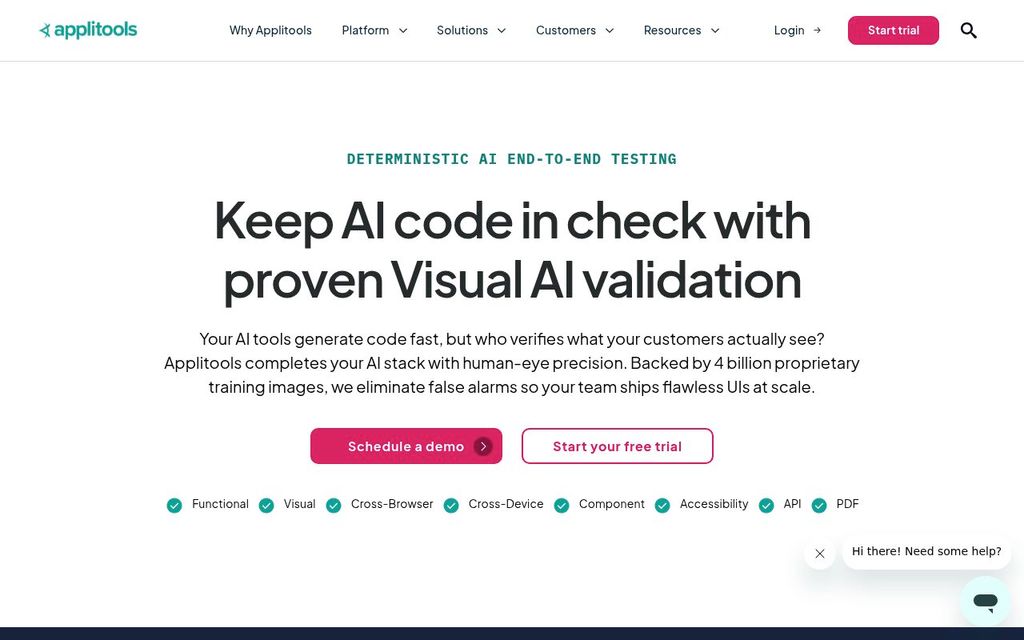
ActiveApplitools is a commercial visual testing platform that compares application screenshots using its Visual AI engine.
Overview and fit
Audience
Editorial judgment, not a vendor fact.
Compatibility
- Test languages
- JavaScript TypeScript Python Java C# Ruby Natural language
- Device modes
- Real device Emulator Simulator Responsive viewport
What it tests
- Product kind
- Visual testing service, Testing platform, AI testing agent
- Testing types
- Visual, End-to-end, Functional, Accessibility, Cross browser
- Targets
- Web app, Native mobile, API
- Use cases
- Regression testing, Cross browser testing, Cross platform testing, Test generation
Classification lists positively established capabilities. Absence from a list does not mean lack of support.
Creation and execution
- Authoring methods
- Code, Recorder, Natural language, AI-generated code
- Execution models
- Browser protocol, Real device, Emulator, Simulator, Http client
- Deployment
- SaaS, Private cloud, On-premises
- License
- Proprietary
Capabilities
AI
| Capability | Status | Details |
|---|---|---|
| Uses AI | Supported Supported | |
| AI test generation | Supported Supported | |
| AI executes the app | Supported Supported | |
| AI generates code only | Unsupported Unsupported | |
| Autonomous exploration | Unknown Unknown | |
| Vision-based interaction | Supported Supported | |
| Selector-free execution | Supported Supported | |
| Adapts to UI changes | Supported Supported | |
| Self-healing | Supported Supported | |
| AI failure analysis | Supported Supported |
Developer integrations
| Capability | Status | Details |
|---|---|---|
| MCP server | Supported Supported | |
| VS Code extension | Unknown Unknown | |
| SDK | Supported Supported |
PR workflow
| Capability | Status | Details |
|---|---|---|
| GitHub | Supported Supported | Integration |
| CI execution | Supported Supported | Integration |
| GitHub PR checks | Supported Supported | Integration |
| PR-aware test selection | Unknown Unknown | |
| Autonomous PR validation | Unknown Unknown | |
| PR comments | Unknown Unknown | |
| Preview deployment testing | Unknown Unknown | |
| Merge gating | Unknown Unknown | |
| Scheduled execution | Unknown Unknown |
Creation and execution
| Capability | Status | Details |
|---|---|---|
| Code authoring | Supported Supported | |
| Recorder | Supported Supported | |
| Natural language authoring | Supported Supported | Beta |
| Test import | Unknown Unknown | |
| Reusable steps | Unknown Unknown | |
| Parameterized tests | Unknown Unknown | |
| Test data generation | Unknown Unknown |
What it tests
| Capability | Status | Details |
|---|---|---|
| Native desktop testing | Unknown Unknown | |
| Native mobile testing | Supported Supported | |
| Browser extension testing | Unknown Unknown | |
| Cross-browser testing | Supported Supported | |
| Cross-platform testing | Supported Supported | |
| Real device testing | Supported Supported | |
| Multi-tab testing | Unknown Unknown | |
| iframe testing | Unknown Unknown | |
| Canvas testing | Unknown Unknown | |
| PDF validation | Unknown Unknown | |
| File upload testing | Unknown Unknown | |
| File download testing | Unknown Unknown | |
| OAuth testing | Unknown Unknown | |
| Email testing | Unknown Unknown | |
| Notification testing | Unknown Unknown | |
| Video content validation | Unknown Unknown |
Validation
| Capability | Status | Details |
|---|---|---|
| Visual regression | Supported Supported | |
| Semantic visual assertions | Supported Supported | |
| Accessibility checks | Supported Supported | |
| API assertions | Supported Supported | |
| Database assertions | Unknown Unknown | |
| Spelling and grammar checks | Unknown Unknown | |
| Dark and light mode testing | Unknown Unknown | |
| Performance measurement | Unknown Unknown |
Running
| Capability | Status | Details |
|---|---|---|
| Local execution | Supported Supported | |
| Headless execution | Supported Supported | |
| Headed execution | Supported Supported | |
| Parallel execution | Supported Supported | |
| Test sharding | Unknown Unknown | |
| Auto-waiting | Unknown Unknown | |
| Automatic retries | Unknown Unknown | |
| Network mocking | Unknown Unknown | |
| Secrets injection | Unknown Unknown | |
| Private network access | Supported Supported |
Diagnosis
| Capability | Status | Details |
|---|---|---|
| Screenshots | Supported Supported | |
| Video recording | Unknown Unknown | |
| Execution traces | Unknown Unknown | |
| Console logs | Unknown Unknown | |
| Network logs | Unknown Unknown | |
| Replay | Unknown Unknown | |
| Interactive debugging | Unknown Unknown | |
| Failure grouping | Unknown Unknown |
Enterprise
| Capability | Status | Details |
|---|---|---|
| SSO (SAML) | Unknown Unknown | |
| SSO (OIDC) | Unknown Unknown | |
| SCIM | Unknown Unknown | |
| RBAC | Unknown Unknown | |
| Audit logs | Unknown Unknown | |
| Secrets management | Unknown Unknown | |
| Configurable retention | Unknown Unknown | |
| Private runners | Unknown Unknown | |
| On-premises deployment | Supported Supported | |
| Data residency | Unknown Unknown | |
| Training opt-out | Unknown Unknown |
Maintenance, reliability, and debugging
- Setup difficulty
- Low
- Maintenance approaches
- Self-healing, Managed service
- Maximum concurrency
- null
- Debug artifacts
- Screenshot
- Reliability mechanisms
- Isolation
- Interfaces
- Web UI, API, SDK, MCP
Pricing
Free tier
Not yet verified · Official pricing page
Security and deployment
- Certifications
- None recorded
- Data regions
- Unknown
- Data retention
- Unknown
- Customer data used for training
- Unknown
Support
- Channels
- Docs, Email
- Support SLA
- Unknown
Sources and verification
- 1Applitools | AI-Augmented Testing · Official website · Applitools · retrieved 2026-09-26
Supports 21 claims · Vendor documented, high confidence · verified 2026-09-26
- Adapts to UI changes
- AI failure analysis
- Audience
- Authoring method
- Debug artifacts
- Deployment
- Interfaces
- Maintenance approach
- On-premises deployment
- Product kind
- Product status
- Screenshots
- Self-healing
- Summary
- Testing types
- Tool
- Use cases
- Uses AI
- Vendor
- Vision-based interaction
- Visual regression
Total visual and functional control for developers, QA, and AI agents.: Total visual and functional control for developers, QA, and AI agents.
Features: Codeless Recorder | Features: NLP Builder | Features: SDKs | Applitools Documentation: TestGenAI
Features: Visual AI
Run Applitools Anywhere, Test Any App. AI Built for the Enterprise.: Run in our cloud | Run Applitools Anywhere, Test Any App. AI Built for the Enterprise.: Run in your cloud | Run Applitools Anywhere, Test Any App. AI Built for the Enterprise.: Deploy on-prem
Features: MCP server | Features: SDKs
Features: Self-Healing Tests
Applitools platform: Applitools platform
Features: Visual AI | Features: Cross Browser Testing | Accessibility Testing - Contrast Advisor: Accessibility Testing - Contrast Advisor
Features: Cross Browser Testing
- 2Accessibility Testing - Contrast Advisor | Applitools Documentation · Official docs · Applitools · retrieved 2026-09-26
Supports 2 claims · Vendor documented, high confidence · verified 2026-09-26
- Accessibility checks
- Testing types
Features: Visual AI | Features: Cross Browser Testing | Accessibility Testing - Contrast Advisor: Accessibility Testing - Contrast Advisor
- 3Applitools Documentation · Official docs · Applitools · retrieved 2026-09-26
Supports 57 claims · Vendor documented, high confidence · verified 2026-09-26
- AI executes the app
- AI generates code only
- AI test generation
- API assertions
- Audit logs
- Authoring method
- Auto-waiting
- Automatic retries
- Autonomous exploration
- Browser extension testing
- Canvas testing
- Certifications
- Configurable retention
- Console logs
- Customer data used for training
- Dark and light mode testing
- Data regions
- Data residency
- Database assertions
- Email testing
- Execution traces
- Failure grouping
- File download testing
- File upload testing
- iframe testing
- Interactive debugging
- Multi-tab testing
- Native desktop testing
- Network logs
- Network mocking
- Notification testing
- OAuth testing
- Parameterized tests
- PDF validation
- Performance measurement
- Private runners
- RBAC
- Recorder
- Reliability mechanisms
- Replay
- Reusable steps
- SCIM
- Secrets injection
- Secrets management
- Selector-free execution
- Spelling and grammar checks
- SSO (OIDC)
- SSO (SAML)
- Support SLA
- Targets
- Test data generation
- Test import
- Test sharding
- Training opt-out
- Video content validation
- Video recording
- VS Code extension
Features: Codeless Recorder | Features: NLP Builder | Features: SDKs | Applitools Documentation: TestGenAI
Applitools Documentation
Autonomous | Using Applitools Eyes with Katalon Studio: Test Native Mobile Application
- 4Using Applitools Eyes with Katalon Studio | Applitools Documentation · Official docs · Applitools · retrieved 2026-09-26
Supports 2 claims · Vendor documented, high confidence · verified 2026-09-26
- Native mobile testing
- Targets
Applitools Documentation: Autonomous | Using Applitools Eyes with Katalon Studio: Test Native Mobile Application
- 5Platform - Pricing - Deterministic AI End-to-End Testing | Applitools · Official pricing · Applitools · retrieved 2026-09-26
Supports 9 claims · Vendor documented, high confidence · verified 2026-09-26
- Company size
- Free tier
- License
- License identifiers
- Max concurrency
- Pricing
- Pricing models
- Support channels
- Trial
Applitools Platform Plans: Starter | Applitools Platform Plans: Professional | Applitools Platform Plans: Enterprise
Applitools Platform Plans: Starter
Applitools Platform Plans: Starter | Applitools Platform Plans: $667
Applitools Platform Plans: Applitools Platform Plans
Applitools Platform Plans: Starter | Applitools Platform Plans: $667 | Applitools Platform Plans: Professional | Applitools Platform Plans: Customizable options
Support: Support
- 6Choosing an SDK | Applitools Documentation · Official docs · Applitools · retrieved 2026-09-26
Supports 10 claims, high confidence · verified 2026-09-26
- Code authoring
- Execution model
- Headed execution
- Headless execution
- Languages
- Local execution
- Runner OS
- SDK
- Setup difficulty
- Target OS
Choosing an SDK: Playwright | Choosing an SDK: Selenium
Choosing an SDK: Playwright | Choosing an SDK: Selenium | English Based Test Steps [Beta]: English Based Test Steps [Beta]
- 7English Based Test Steps [Beta] | Applitools Documentation · Official docs · Applitools · retrieved 2026-09-26
Supports 2 claims · Vendor documented, high confidence · verified 2026-09-26
- Languages
- Natural language authoring
Choosing an SDK: Playwright | Choosing an SDK: Selenium | English Based Test Steps [Beta]: English Based Test Steps [Beta]
- 8Cross Browser Testing With The Applitools Ultrafast Grid | Applitools Documentation · Official docs · Applitools · retrieved 2026-09-26
Supports 7 claims · Vendor documented, high confidence · verified 2026-09-26
- Browser engines
- Browsers
- Cross-browser testing
- Cross-platform testing
- Device modes
- Parallel execution
- Real device testing
Cross Browser Testing With The Applitools Ultrafast Grid: Cross Browser Testing With The Applitools Ultrafast Grid
Cross Browser Testing With The Applitools Ultrafast Grid: Providing a list of browsers and devices | Cross Browser Testing With The Applitools Ultrafast Grid: The viewport
- 9Applitools MCP Server | Applitools Documentation · Official docs · Applitools · retrieved 2026-09-26
Supports 1 claim · verified 2026-09-26
- MCP server
- 10Applitools GitHub Integration | Applitools Documentation · Official docs · Applitools · retrieved 2026-09-26
Supports 8 claims · verified 2026-09-26
- Autonomous PR validation
- GitHub
- GitHub PR checks
- Merge gating
- PR comments
- PR-aware test selection
- Preview deployment testing
- Scheduled execution
- 11Working With Github Actions | Applitools Documentation · Official docs · Applitools · retrieved 2026-09-26
Supports 1 claim · verified 2026-09-26
- CI execution
- 12Match Levels and Regions | Applitools Documentation · Official docs · Applitools · retrieved 2026-09-26
Supports 1 claim · verified 2026-09-26
- Semantic visual assertions
- 13Run Tests With The Execution Cloud | Applitools Documentation · Official docs · Applitools · retrieved 2026-09-26
Supports 1 claim · verified 2026-09-26
- Private network access
Hands-on tested: no (documentation research only) · Content updated 2026-09-26